The difference between subscribing through Web vs App Stores
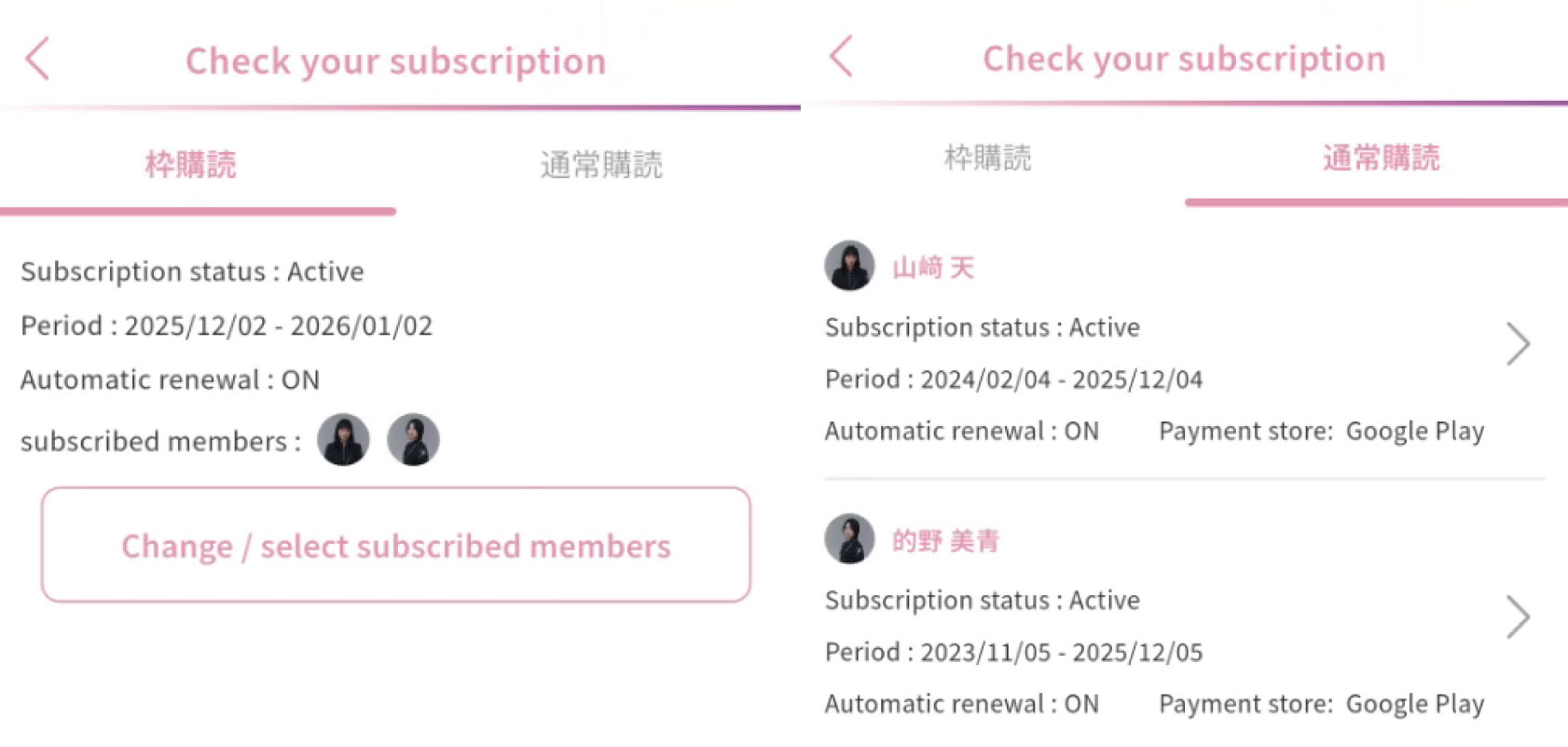
Unlike the App stores wherein you purchase a subscription for a specific member, the Website allows you to purchase subscription “slots” instead. These slots will allow you to subscribe to any member’s mobame and freely change between members without any additional fees. You can only change member combinations 3 times every 24 hours
SETTING UP YOUR LINKED MOBAME ACCOUNT ON THE SAKURAZAKA46 APP
If you already have a mobame account on the Sakurazaka46 app, you need to link it to ensure that your data is saved when accessing the website version.
Step 1. Open the Sakurazaka46 app and go to account settings.
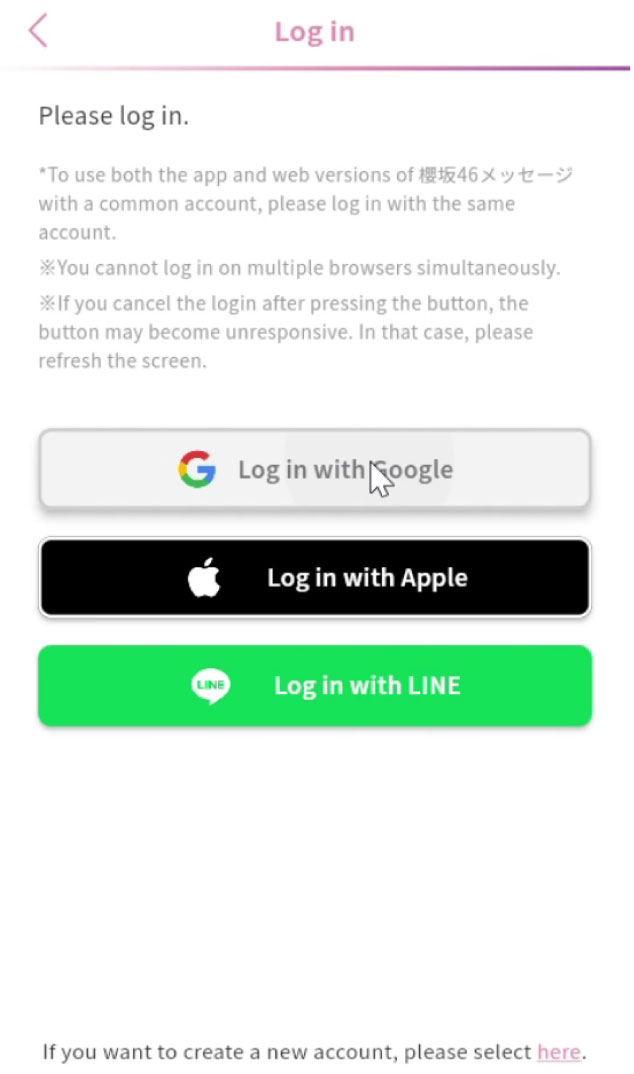
Step 2. You will be able to link your account using one of the following services: Google, Apple ID, and LINE. Make sure that you use the same account when logging on the web version.
Note: You can access both the web and app versions with your linked account.
SETTING UP YOUR WEB MOBAME
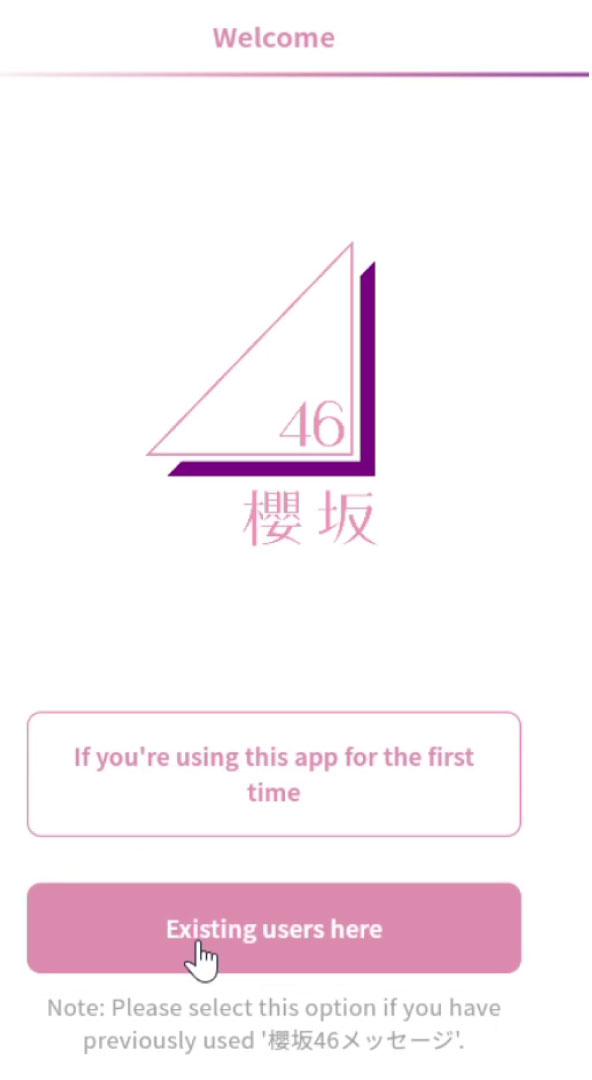
Step 1. Open Sakurazaka46 Message Web
If you’ve used the app before, then click on the second button.
Agree to the Terms of Use and Privacy Policy.
Step 2. Log in using your previously linked account.
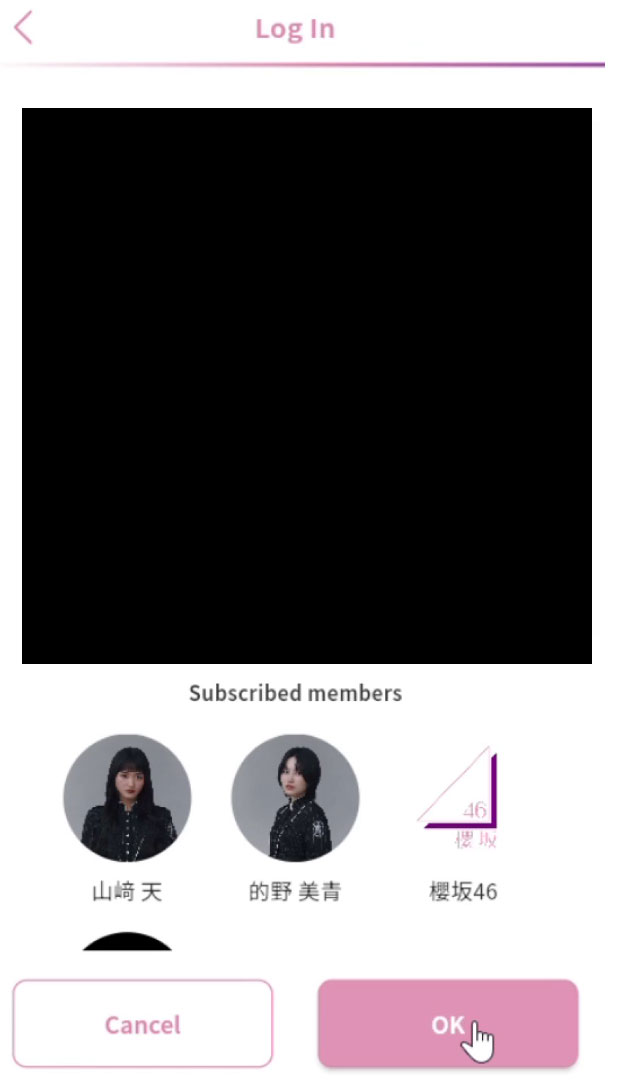
Step 3. Double-check and confirm your account before clicking “OK”.
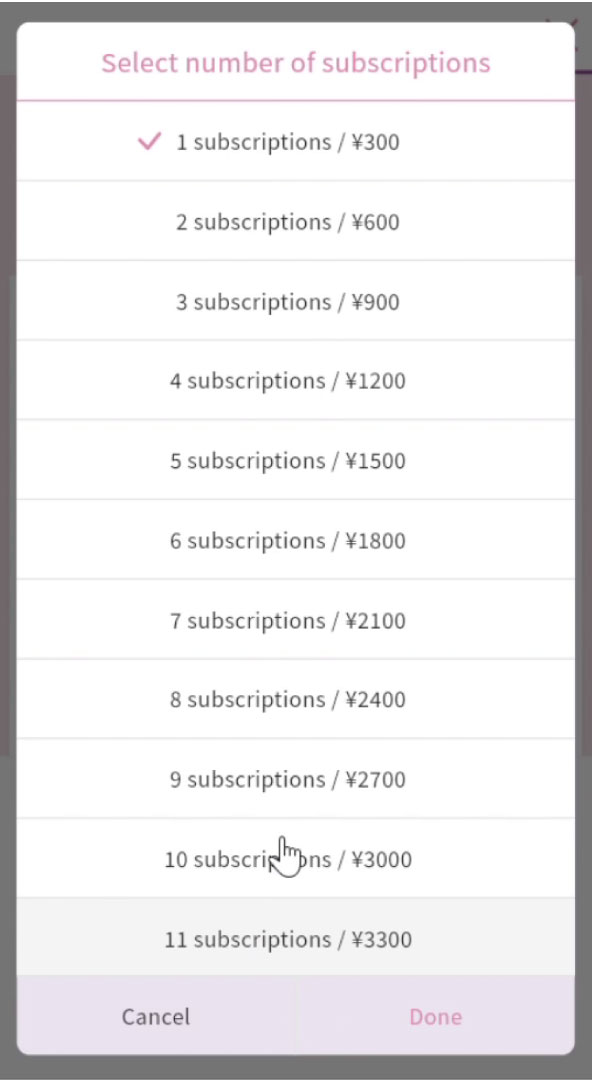
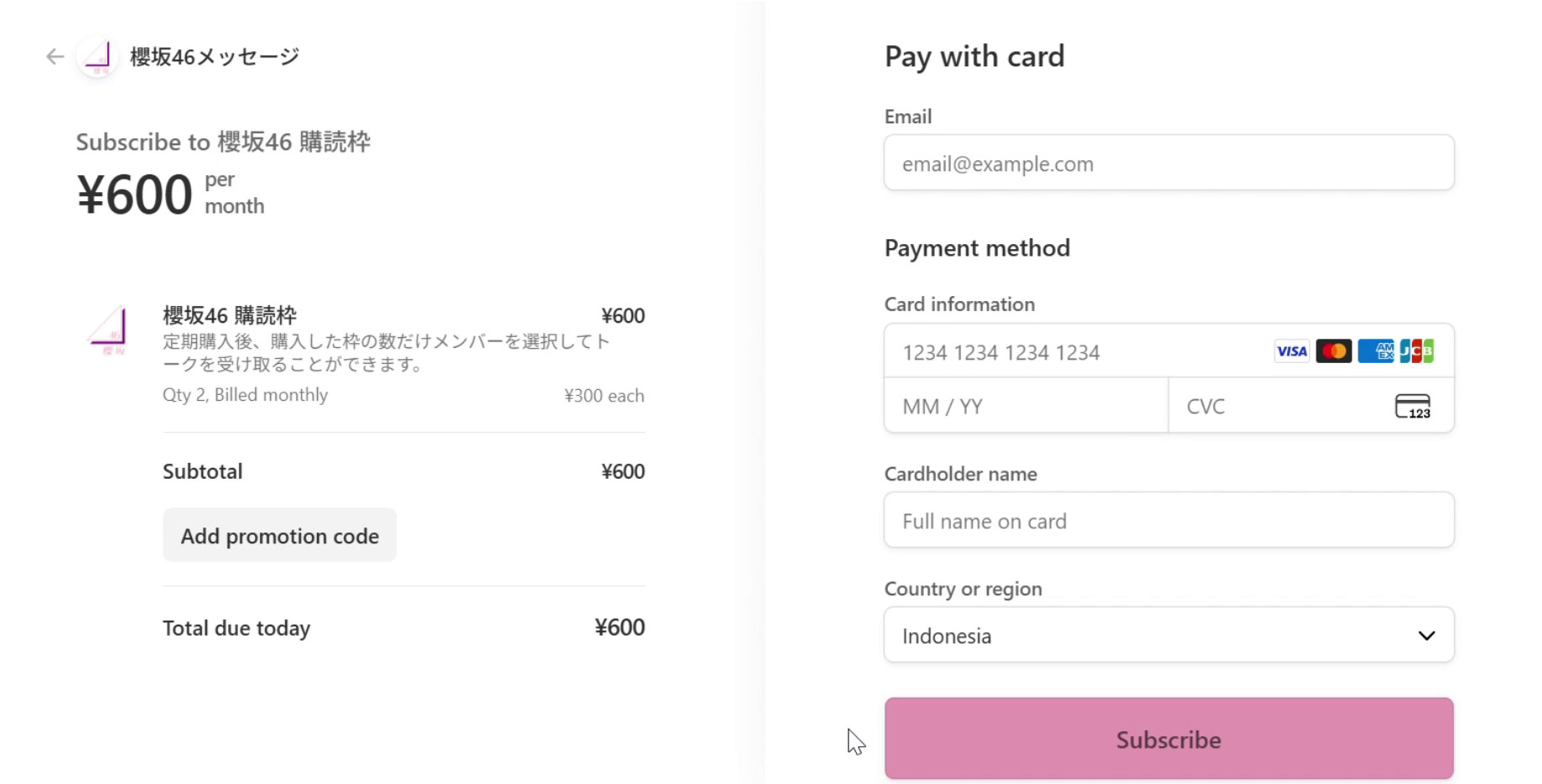
Step 4. Choose the number of slots you plan to subscribe to. You can add and remove slots anytime you want.
Step 5. Input your payment details.
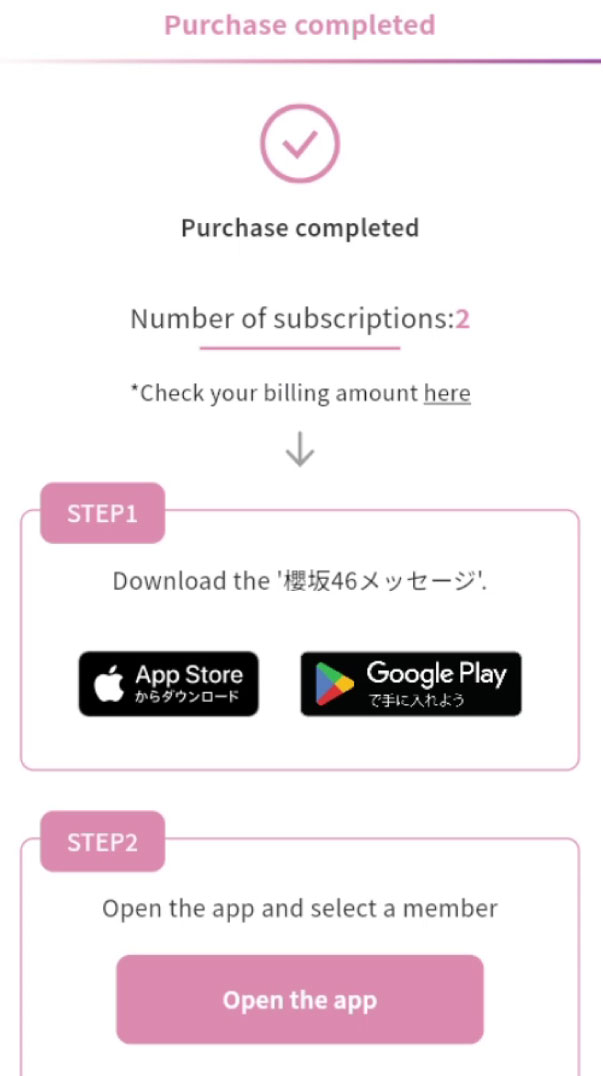
Step 6. Confirm your purchase and double-check if the number of slots you bought is correct.
CHOOSING YOUR MEMBERS TO SUBSCRIBE TO
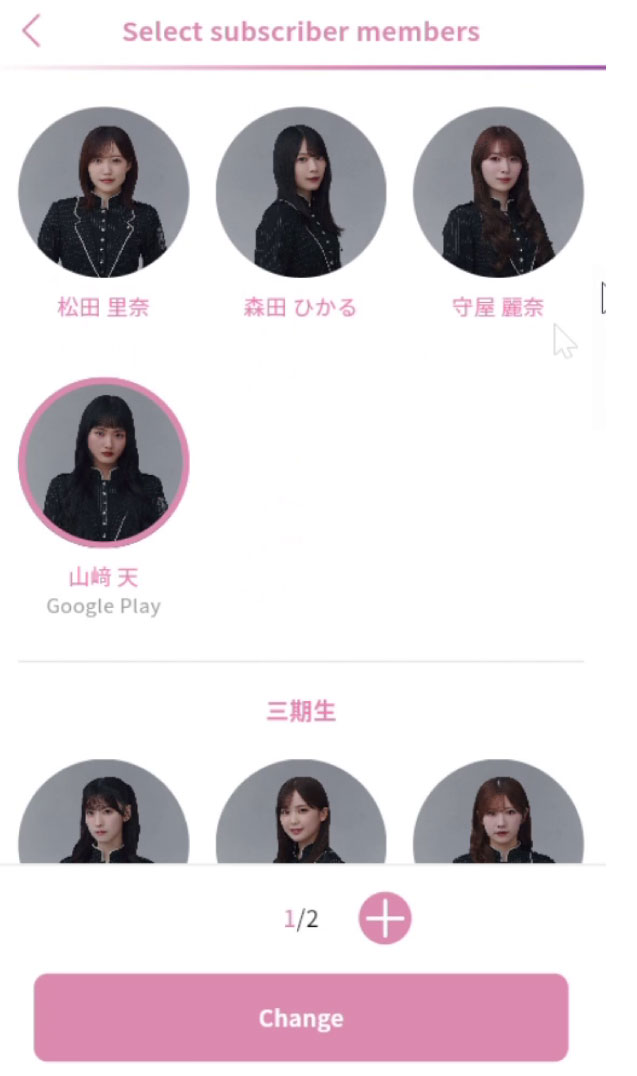
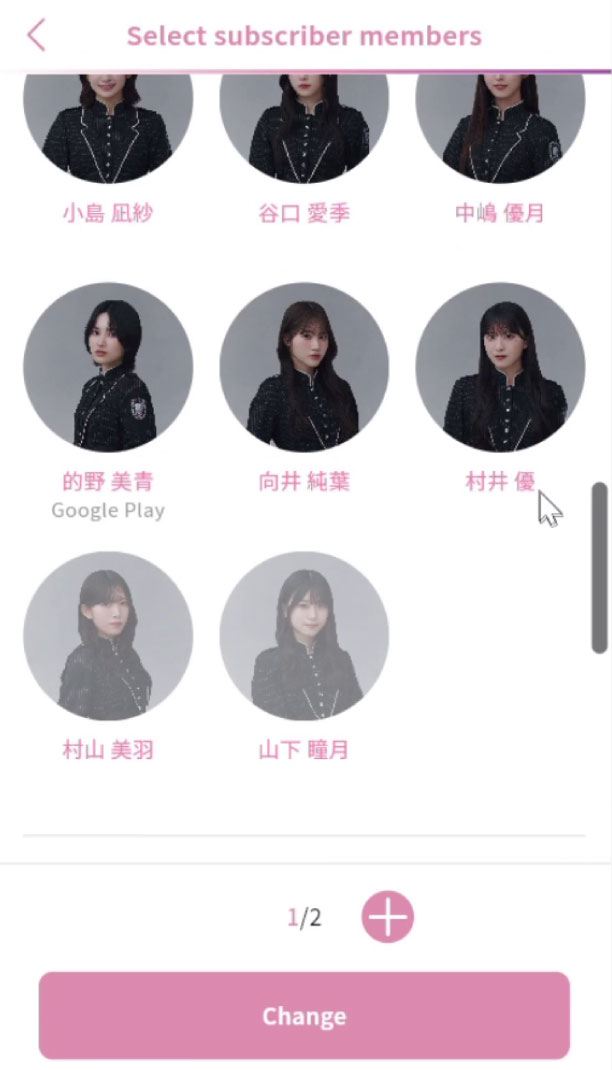
Step 1. Go to Settings > Subscriptions in order to select the members you’d like to subscribe to. It will also display the number of slots that you have.
*If you’re transferring from the App version, make sure you select the same members you were subscribed to, or otherwise their mobame data will not be transferred to the web version.
Step 2. Select “Change” to confirm your subscriptions. You may freely change the member combinations you’re subscribed to up to 3 times every 24 hours.
CANCELLING YOUR ON-GOING MOBILE SUBSCRIPTION(S)
Once you have switched your payment method from the mobile app to the website, you will now have two different payment plans going on at the same time.
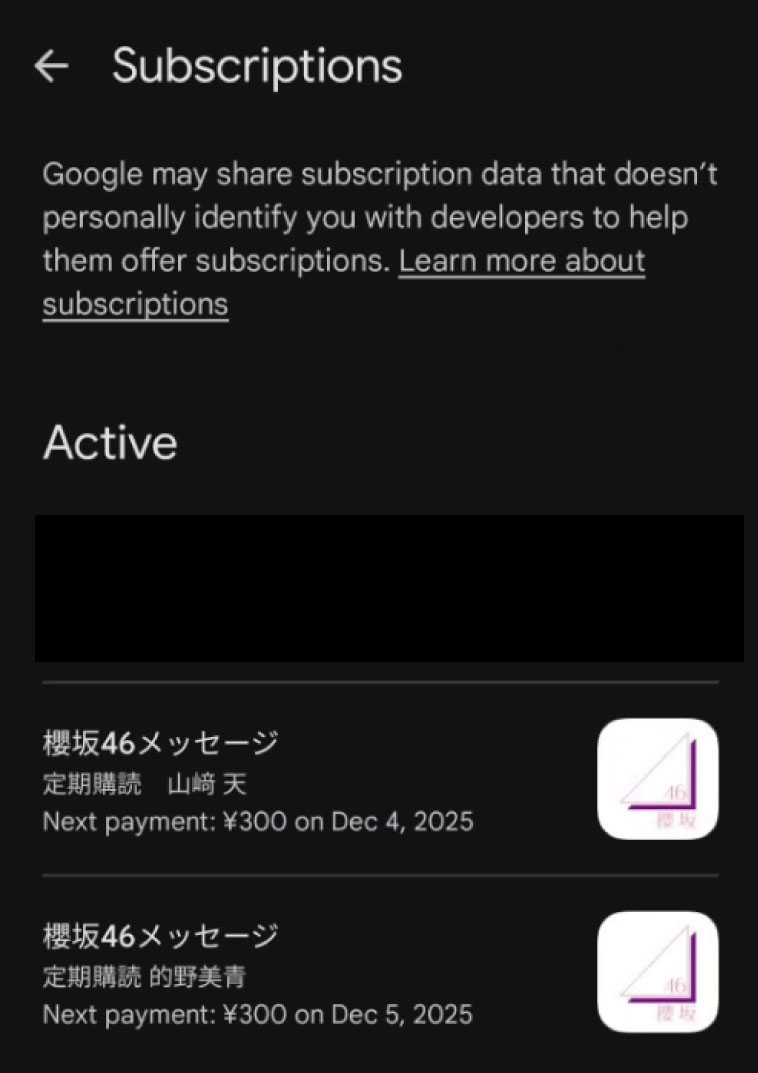
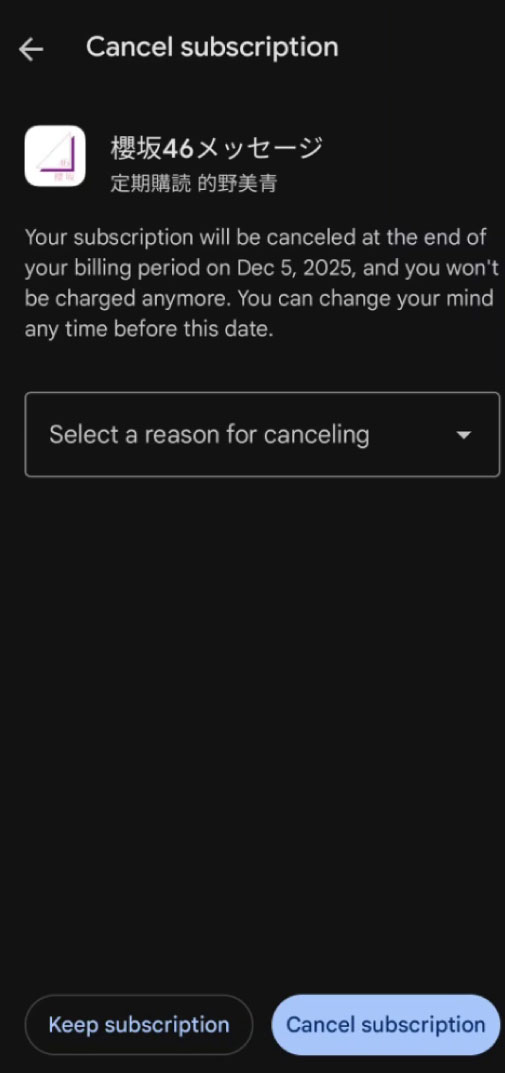
And so, it is important for you to cancel the subscription(s) currently running on the app store to avoid getting charged twice.
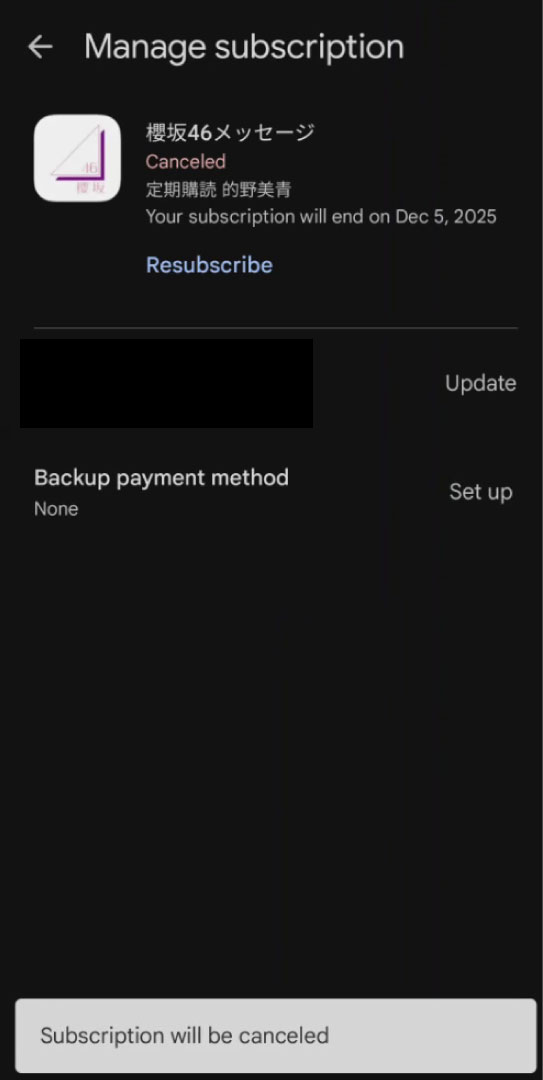
Step 1: Go to your app store (Example displayed is on Google Store) and cancel your displayed mobame subscriptions
Step 2: Double-check that the subscriptions have been cancelled on the App Store and mobame settings.
Congratulations, you have fully migrated to the web payment version!
When Changing the Number of Subscription Slots
You can change the number of members in your subscription at any time. If you increase the number of subscription slots during your monthly billing period, the amount due at the next billing period will be adjusted based on the number of days the added member was included in your subscription.
The same applies if you reduce the number of subscribed members in the middle of your monthly billing period. Any excess amount paid will be deducted from the amount due for your next billing period.
Example: On 22nd December 2025, Buddies wanted to increase the bracket from four members into five members. So Buddies did as they wanted, and displayed in their payment detail is a notification that their next billing will amount to 1.635 yen, as Buddies will only be charged a week’s worth of the newly added fifth member.